Kanji Flashcard Loop
A confusing flashcard loop can break habits before they form.
I kept users oriented so they always know where they stand.
Overview
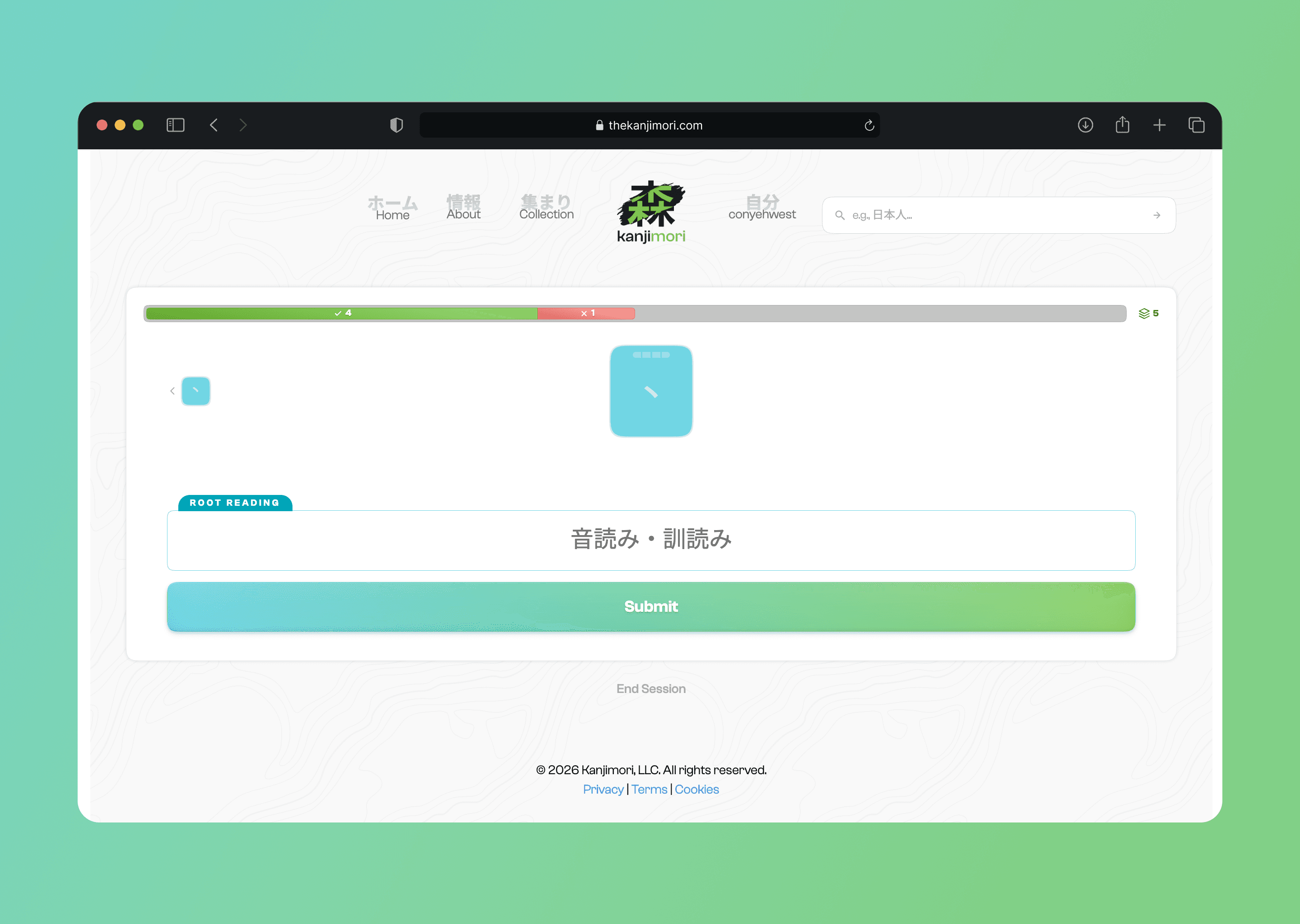
Kanjimori is a kanji-learning app built around spaced repetition. I designed the flashcard loop at the heart of the experience.
Problem
When reviewing kanji, users need a clear sense of where they are and how they're doing. Without it, the experience can become frustrating, enough to make users quit.
Solution
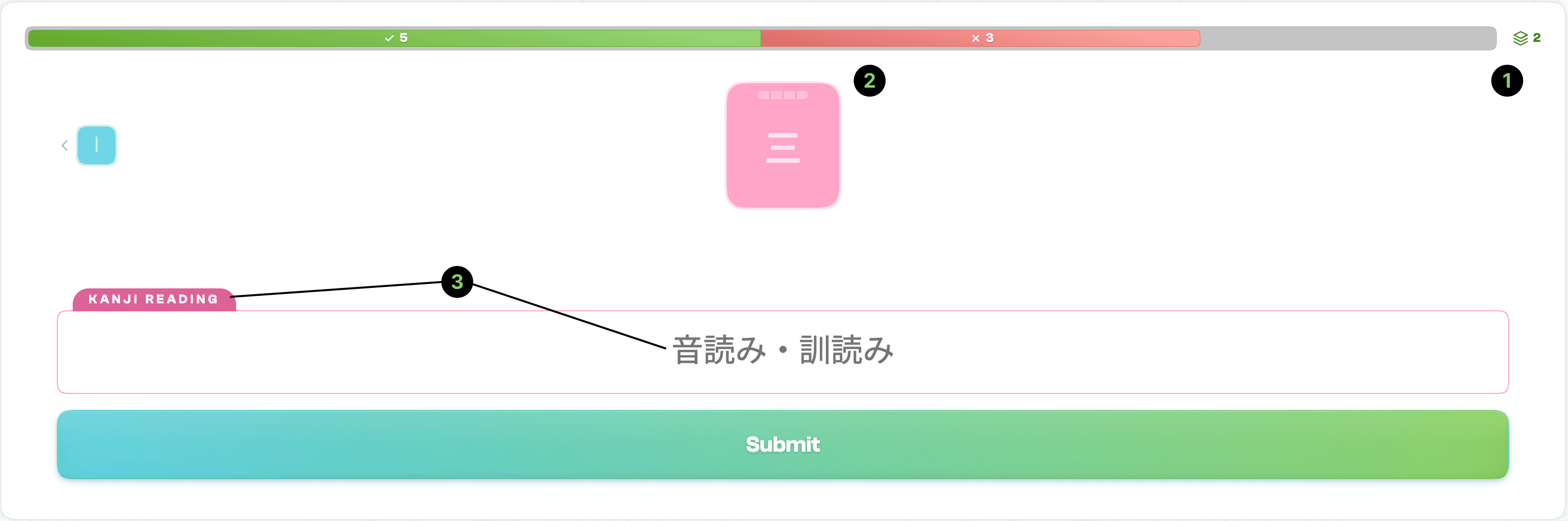
[1] Stack Progress
Shows cards reviewed and cards remaining in the stack. Users always know exactly where they are in the session and how much is left to go.
[2] Mastery Streak
Tracks the user's streak for each card. Correct answers build the streak up, but a wrong answer resets it to zero. It indicates how well they know each character.
[3] Adaptive Input
The label tells users whether they need to type an English meaning or a Japanese reading. The input automatically switches language, so there's no manual switching required.
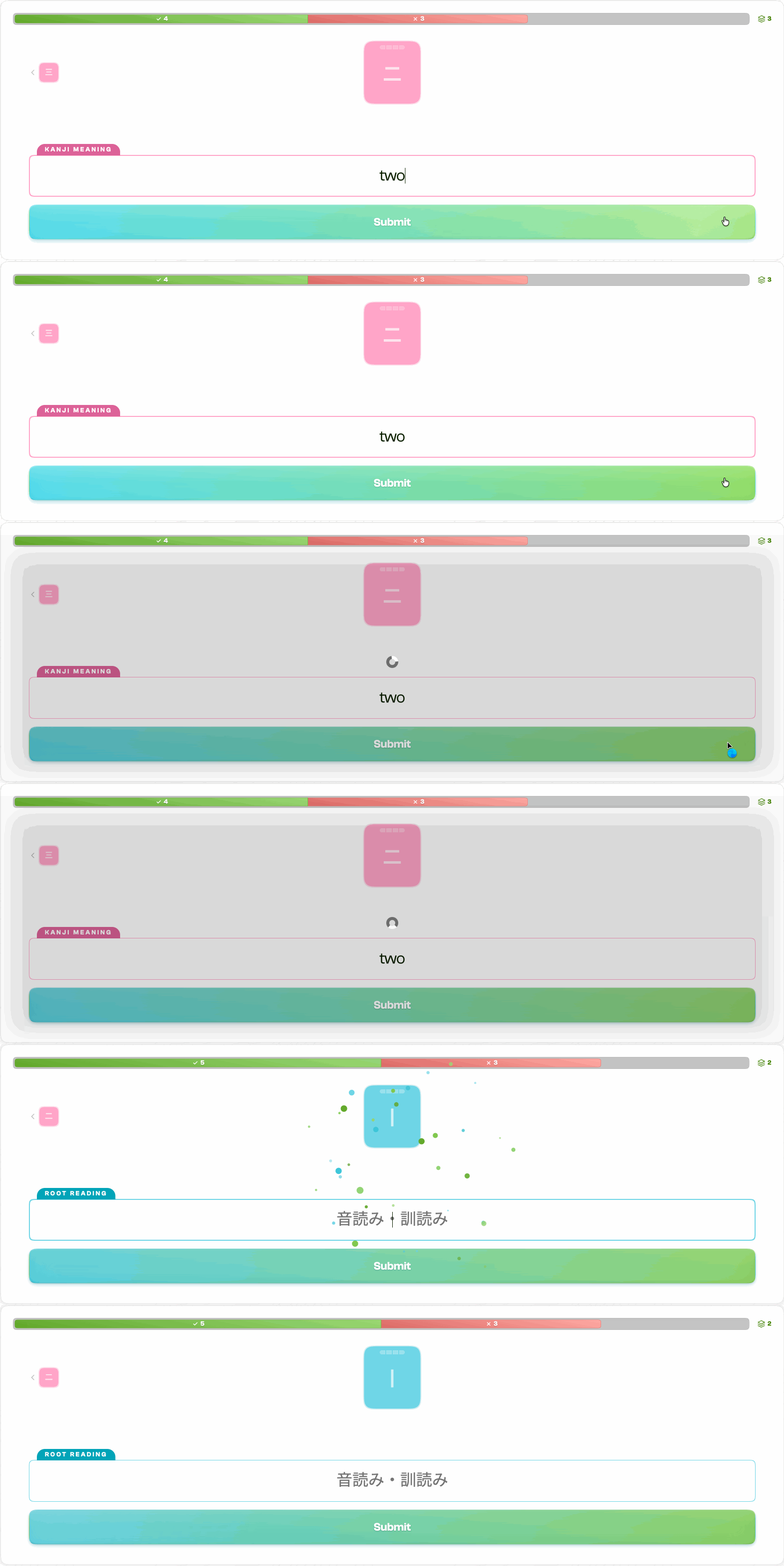
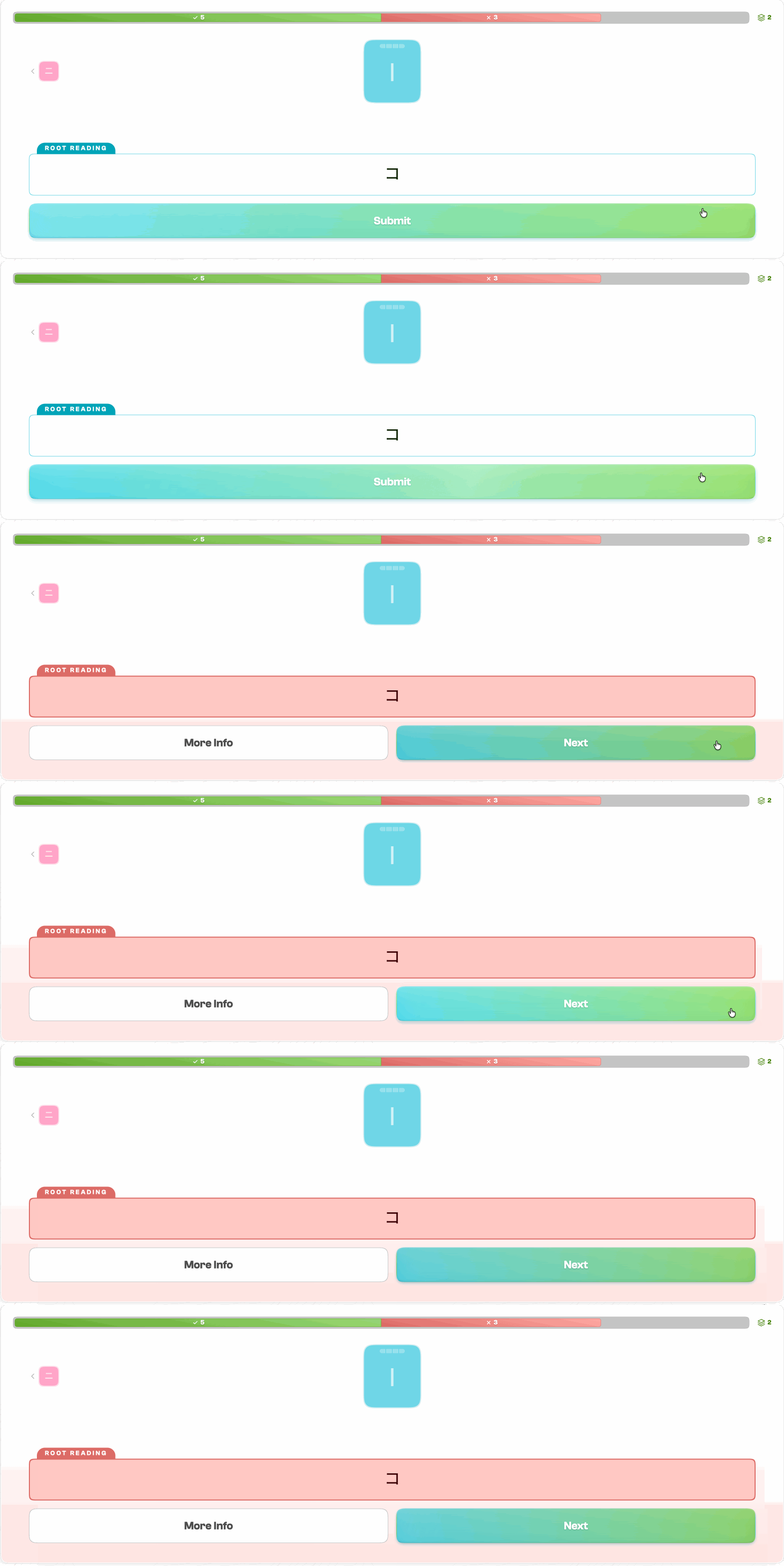
Answer Feedback
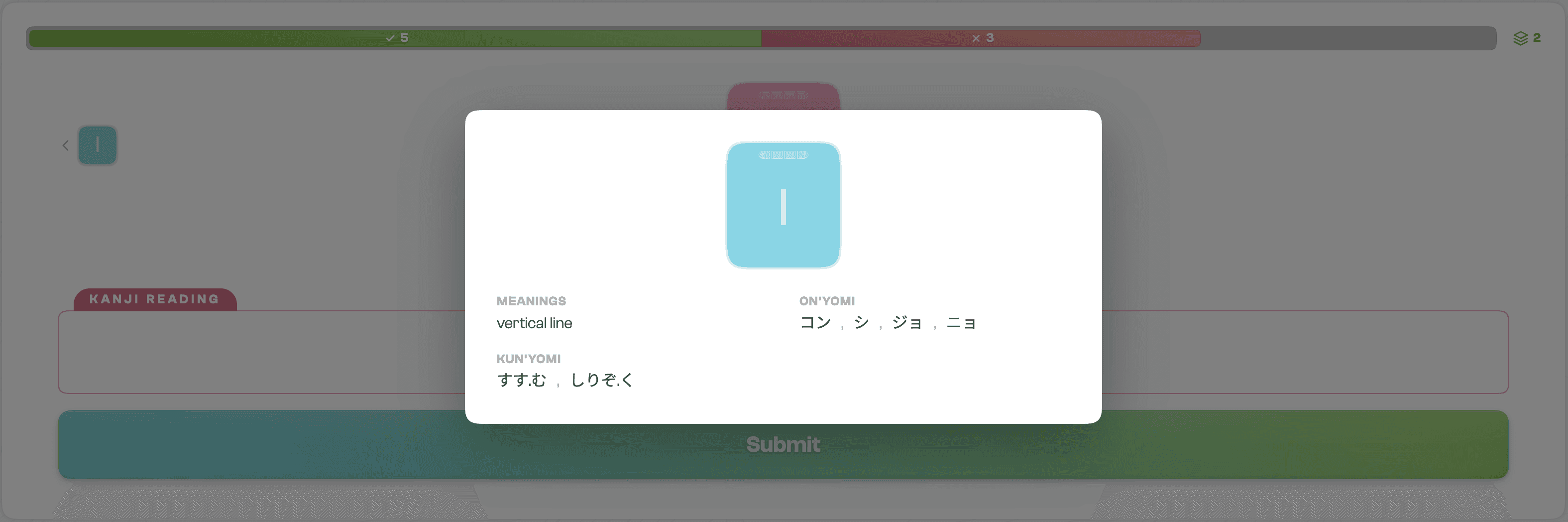
The system responds differently based on whether the answer was correct or incorrect. Correct answers move the user forward and build their streak. Incorrect answers provide an opportunity to review the kanji, giving users a learning moment before they continue.